
a small software team.
we build software end to end: websites, apps, tools, and the servers behind them. some of us take on work for other people.
what we do
we work across the whole stack, so a project rarely has to be handed off halfway. websites and web apps built front to back. native android apps. command-line tools and desktop software, a lot of it written in rust. and the servers, hosting and self-hosted infrastructure everything runs on.
we also do the smaller, unglamorous stuff: internal dashboards and admin panels, automation, scripts and bots that take a repetitive job off your hands. if it's software, there's a good chance it's something we've built a version of before.
web·apps·tools·automation·servers & hosting
how we work
we like small, self-contained things that do one job well and keep running without babysitting. no sprawling dependencies, no accounts you didn't ask for, nothing that needs root just to start.
you get a price before any work starts, and it only moves if the scope does. when it's done you get the finished thing and the code, and we can stay on to maintain it, extend it, or just be on call for fixes.
if you need something made, email us. tell us roughly what you want and we'll say if we can help.
some things we've made
▶hyphenterminal animations in one small binary
cmatrix, tty-clock, cbonsai, pipes.sh and fastfetch are all in here, plus 28 more that i wanted on my screen and couldn't find. 33 effects in total.

one rust binary, no ncurses, about 1 MB. truecolor with a 256 color fallback, and it can use your terminal's real background so opacity and blur show through.
install
git clone https://github.com/whoevenisxeno/hyphen
cd hyphen
cargo build --release
cp target/release/hyphen ~/.local/bin/
no sudo anywhere. on arch it's in the AUR: paru -S hyphen. fish users get completions and a short hy command.
use
hyphen              random effect, switch with n / b
hyphen bonsai       one effect
hyphen cycle -e 20  rotate every 20 seconds
hyphen fire -t ice -T   theme + transparent background
hyphen info         fetch with a themed logo
keys: tab menu · n/b next/prev · t/T theme · +/- speed · p pause · q quit
first run
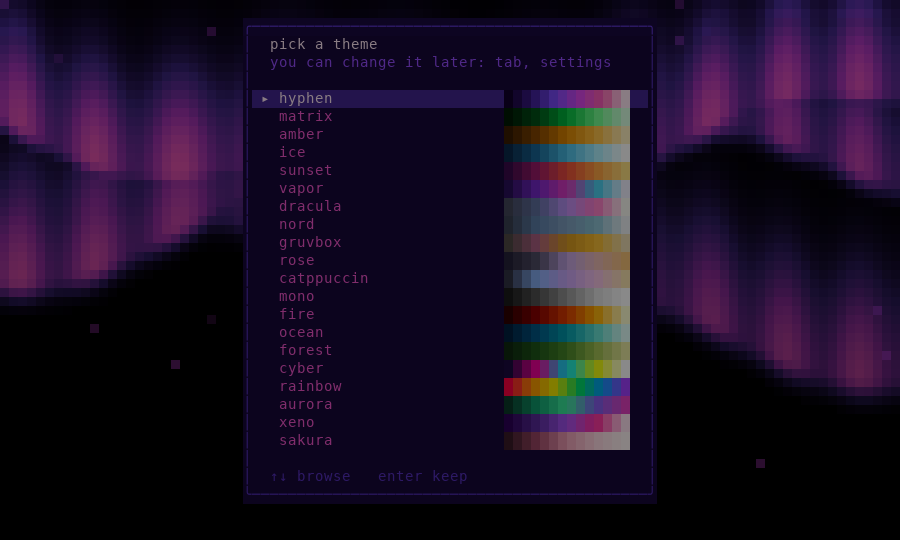
the first time it starts it asks which theme you want, with the background changing live as you move. hyphen --pick-theme shows it again.
the menu
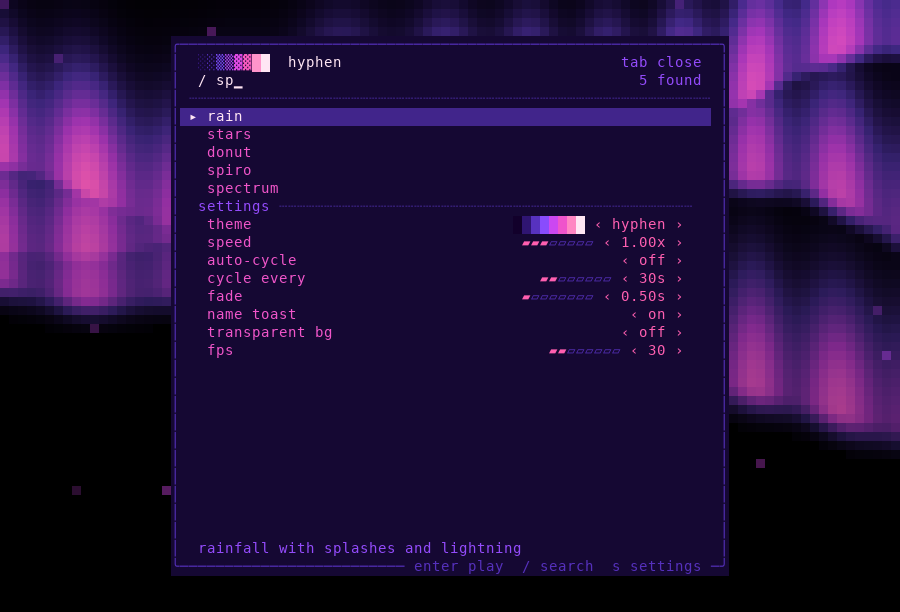
tab opens it. pick an effect, search with /, and change theme, speed, auto cycle, interval, fade, transparent background and fps with the arrow keys. choices are remembered in ~/.config/hyphen/state.toml.
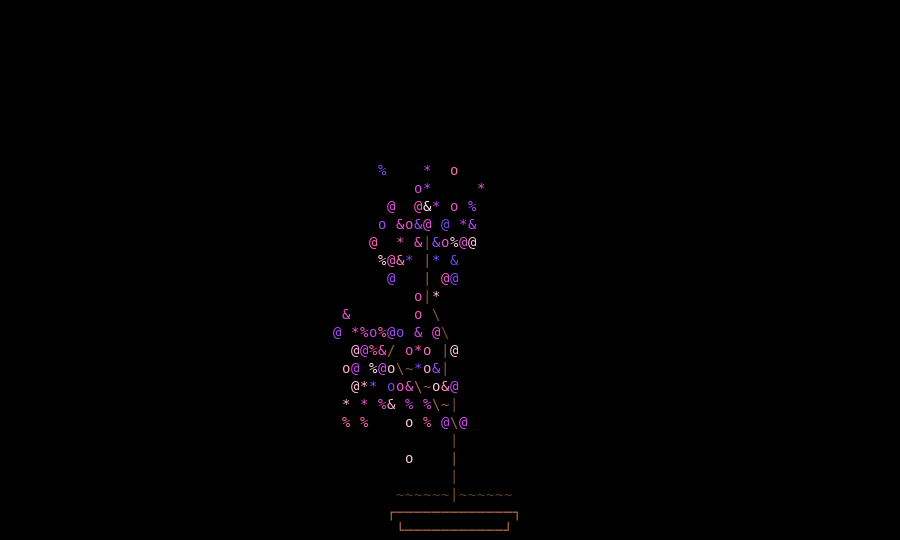
all 33 effects
- matrix falling glyph rain
- clock digital, analog or binary
- bonsai grows, sheds, grows again
- pipes wandering pipes, six styles
- fire doom style flames
- rain splashes, wind, lightning
- snow drifts, piles up, melts
- stars warp speed starfield
- fireworks rockets and bursts
- plasma classic sine plasma
- tunnel flying checkered tunnel
- lava metaball lava lamp
- aurora northern lights
- waves layered ocean with a sun
- ripple water ripples from drops
- mandel endless mandelbrot zoom
- radar sweeping radar with blips
- life conway's game of life
- sand falling sand that piles up
- maze generates then solves one
- boids flocking birds with trails
- donut spinning ascii torus
- cube rotating wireframe solids
- spiro lissajous and rose curves
- dna twisting double helix
- orbit planets circling a sun
- glitch corrupted data blocks
- spectrum audio visualizer bars
- snake a snake that plays itself
- lightning branching storm
- terrain synthwave sun and grid
- fireflies blinking in the dark
- badapple all 3:39 of it, in 1-bit

themes
21 built-in themes. hyphen is the default, xeno goes black into purple into pink, and terminal builds a gradient from your own terminal palette so it always matches your color scheme. custom themes go in the config.
notes
needs truecolor for the good look (kitty, ghostty, alacritty, foot, wezterm are all fine). linux only for now. written from scratch, MIT licensed.
▶simpleclipinstant replay for windows, without the launcher
it keeps the last 30 seconds of your screen in memory. something good happens, you press a hotkey, and those seconds become an mp4. there's no record button and nothing to start before you play.
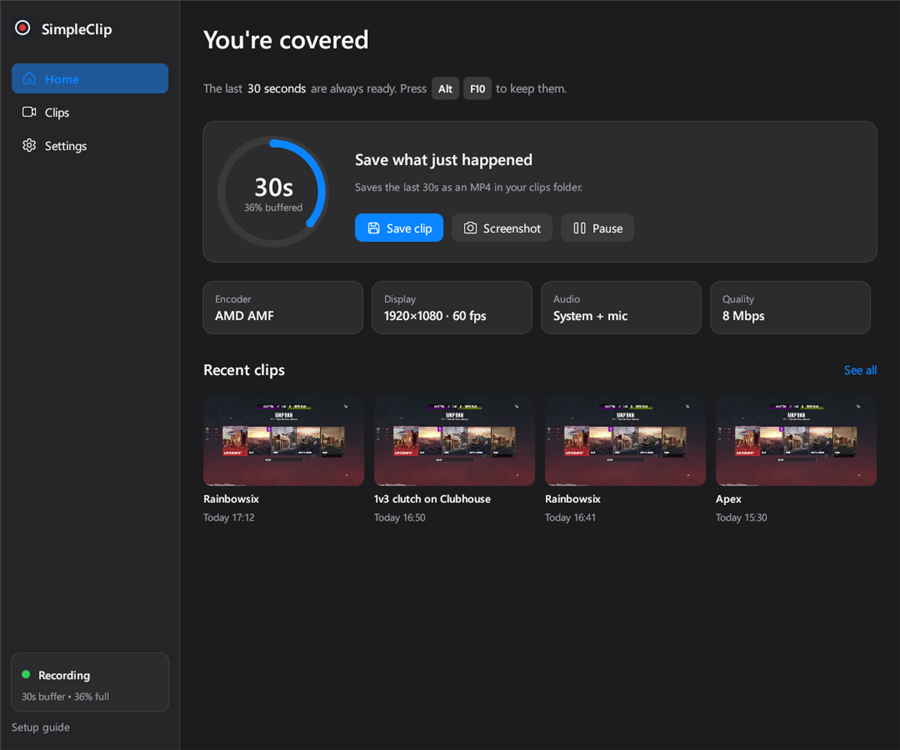
a small background service plus a window for browsing, trimming and organising clips. hardware encoded, no account, no cloud. it started as a linux tool and this is the windows version.
install
download SimpleClip-Setup.exe from the latest release and run it. it installs for your user only, so there's no admin prompt, and it can start with windows. the installer is about 46 MB. there's also a portable zip.
the app checks github for new versions and shows an update button with the changelog when there is one.
use
Alt+F10   save the last 30 seconds
Alt+F9    save a screenshot

sc status
sc save
sc trim clip.mp4 --start 2 --end 6
both hotkeys can be changed in settings. the sc command talks to the running service.
what's in it
- replay buffer 15 s up to 5 min, in ram
- hardware encode nvenc, amd amf, quicksync
- audio game sound plus mic, mixed or split
- trim lossless, with a live player
- bookmarks your own labels and colours
- notes and folders all inside the app
- save card detailed or minimal, any corner
- quality bitrate, resolution, frame rate
- tray icon and start with windows
- cli save, trim, status, screenshots
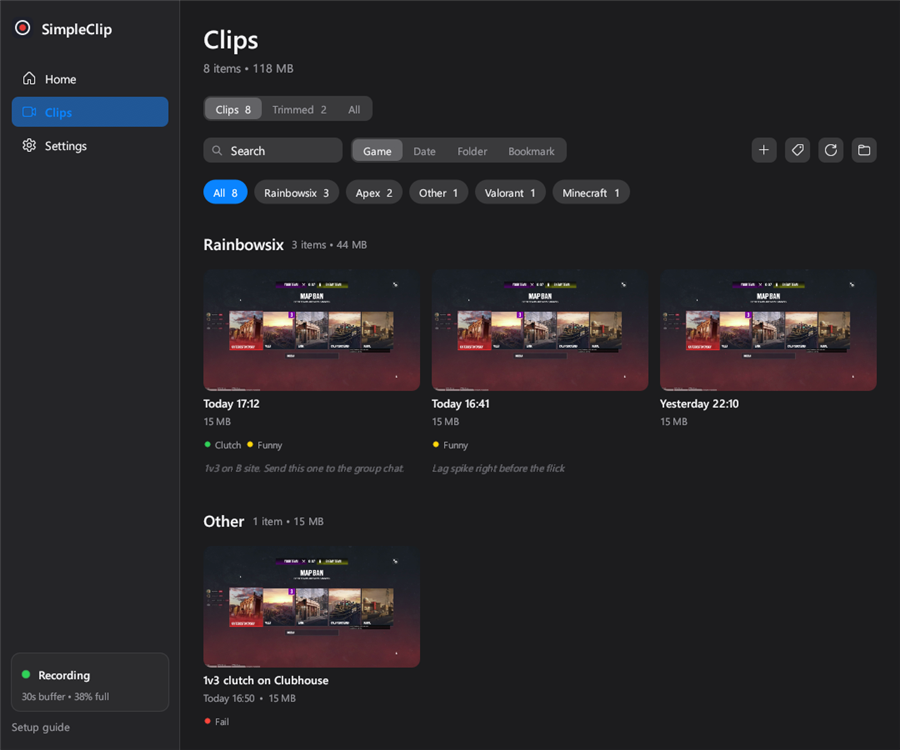
trim
the trim screen plays and loops exactly the part you selected, and follows the handles while you drag them. save a copy, or replace the original (it goes to the recycle bin). the cut copies the video without re-encoding, so it's instant and lossless.
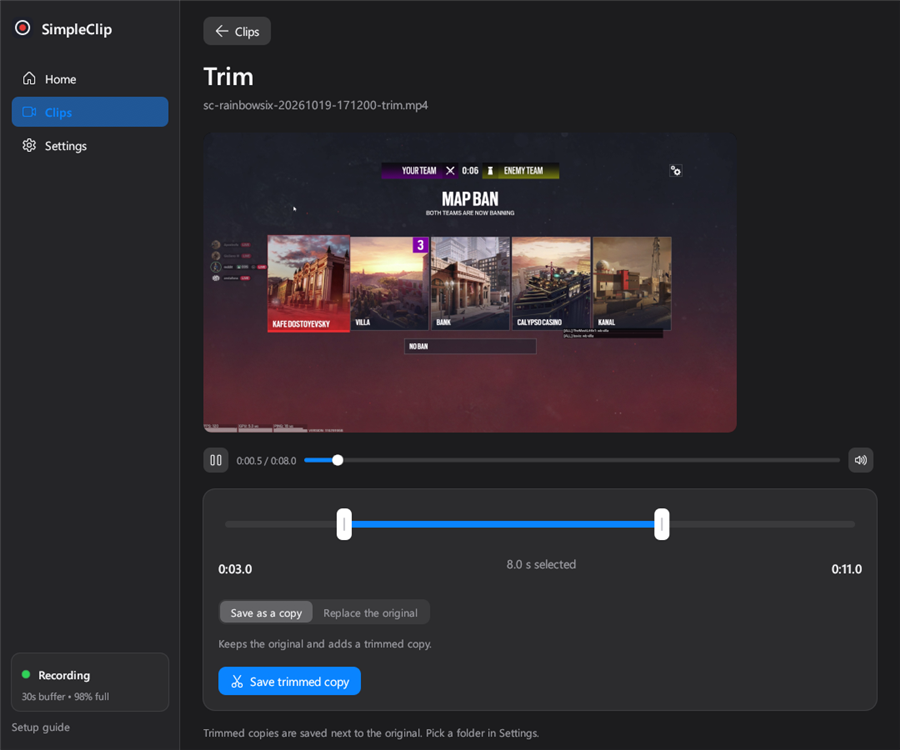
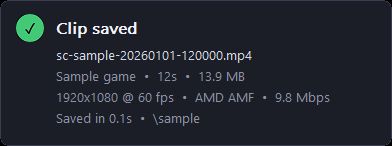
the save card
a small card slides in when a clip is saved, with its size, resolution, frame rate and encoder. there's a one-line minimal version too, and you choose where it appears.
notes
windows 10 and 11. written in rust, built on windows graphics capture and wasapi. the amd encoder path is the one tested the most so far. MIT licensed.
get in touch
contact@thisis98k.ccthisis98k.cc · est. 2024 · 98k mail